In-game settings / preferences
Horizontal resolution
Vertical resolution
FOV (85–110)
Default sensitivity
Lowered State FOV
Shoulder Aim FOV
Monitor Distance Coefficient (0–100%) ?
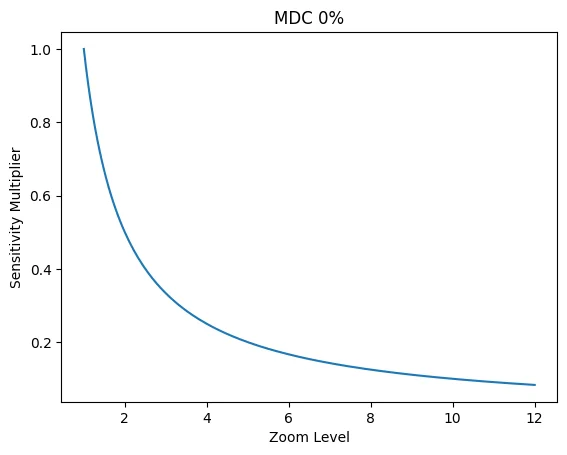


MDC: sensitivity matching
MDC 0%
MDC 50%
MDC 100%
Aspect ratio
—
W / H
VFOV @ 16:9
—
derived from FOV
Import / patch attributes.xml
local in browser
Sensitivity calculations
values to put in config
| Name in settings | Name in config file | Hidden factor | Value |
|---|
Actual FOV calculations
real in-game FOV
| View mode | Actual HFOV | Actual VFOV | VFOV multiplier | Scope zoom @55 | Actual VFOV zoom | VFOV ratio w/ MDC |
|---|
Guide • How to apply values
Path + steps
Always make a backup of attributes.xml before changing anything.
Where is the file?
SteamLibrary\steamapps\common\Hunt Showdown 1896\USER\Profiles\default\attributes.xml
Downloaded file must be named "attributes.xml" (replace the original file).
If you have several Steam libraries, the beginning of the path may differ.
Which keys to change?
MouseSensitivity
HipMouseSensitivity
IronSightsMouseSensitivity
ShortScopeMouseSensitivity
MediumScopeMouseSensitivity
LongScopeMouseSensitivity
PeepholeMouseSensitivity
Change only the number inside value="...".
Method A • XML patcher (recommended)
- Close the game.
- Choose attributes.xml with the file picker.
- Click “Load XML”.
- Optional: click “Autofill” to pull MouseSensitivity from your file.
- Click “Download XML”.
- Replace the original attributes.xml with the downloaded one.
- Launch the game and verify settings.
Method B • Manual edit
- Open attributes.xml in Notepad (or any text editor).
- Search for the keys listed above (Ctrl+F).
- Paste the values from the calculator table into value="...".
- Save the file.
- Launch the game.
Tip: Use “Copy all” to copy keys + values, then paste them into a note while editing.

Присоединяйтесь к нашему сообществу, чтобы быть в курсе последних новостей
defichenthunt.ru
